

By CrowdSent Blog Team
MetaTrader 5 trade history is useful only when you can explain what the records include. A larger closing balance can reflect a deposit, a trading result, or several different adjustments. Exporting the file is the first step; reconciling its entries makes the evidence usable.
This guide covers a desktop records workflow and an original fictional worksheet. It does not establish audited performance or tax treatment. Keep account records separate from historical market-price data and simulated backtest results.
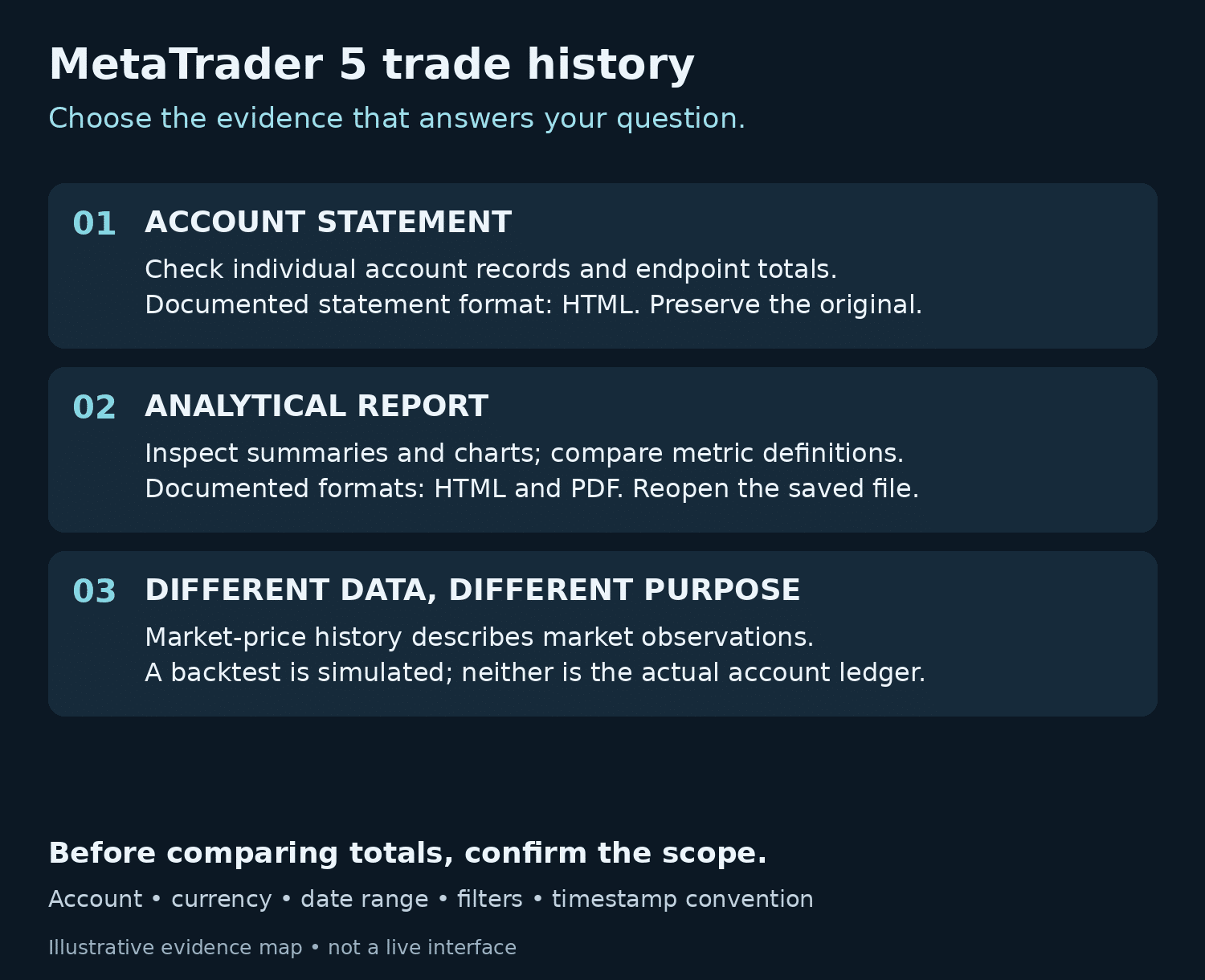
Choose the report that answers your question
For a record of account activity, MetaQuotes documents an HTML account statement generated through Report in the History tab’s context menu. The statement contains account identifiers, activity sections and account totals. See the official account statement documentation.
The separate analytical report is reached through Report → Overview in trading history, or Reports in the View menu. Its sections organize results into summaries and charts, with HTML and PDF saving documented. MetaQuotes’ analytical report guide also distinguishes metrics that include charges from those that exclude them. Compare definitions before comparing totals with similar names.
Choose the statement for checking individual records and the analytical report for inspecting the summaries you need. Keep the report type in your filename. This workflow does not promise an account-history CSV option, and downloading quote data would not supply the account ledger.
Set the scope before exporting
Write down the intended account, currency, start date, end date and export time. Use a private account alias in your working notes. Preserve the displayed timestamp convention rather than silently translating dates, especially when investigating activity near a period boundary.
History’s position view has an important limitation: a position opened before the selected interval and closed after it is excluded. Imagine a fictional position opened on September 28 and closed on October 5. A September 30–October 2 position-history selection can omit it even though it existed throughout that window. MetaQuotes explains this rule in its history display documentation.
Do not interpret an empty view as proof of no exposure. Preserve the original selection, then compare a broader interval and the underlying records. Record which view answered each question.
Also distinguish the record types. An order is a request; a deal is an execution; a position represents the resulting exposure. One order can generate several deals. Related identifiers help connect the records, as described in MetaQuotes’ basic trading principles. Matching row counts across different views is therefore an unreliable reconciliation test.
MetaTrader 5 trade history: a fictional reconciliation
Assume an opening balance of 1,000 hypothetical currency units, abbreviated CU. These are invented bookkeeping amounts, not a real account or a suggested trade. Assume no credit, dividends, other adjustments or open positions. The realized result below is explicitly before the separately listed charges, which are fully posted during the interval.
On a narrow screen, scroll the table sideways to see every column.
| Entry | Change | Running balance | Worksheet treatment |
|---|---|---|---|
| Opening balance | Starting point | 1,000 | Prior period endpoint |
| Deposit | +200 | 1,200 | External cash flow |
| Withdrawal | −100 | 1,100 | External cash flow |
| Realized result before charges | +50 | 1,150 | Closed activity result |
| Separately posted charges | −10 | 1,140 | Deducted once |
| Ending balance | Net change: +140 | 1,140 | Compare with endpoint evidence |
Check: 1,000 + 200 − 100 + 50 − 10 = 1,140 CU.
The balance rose by 140 CU. Net external cash added was 100 CU, and the realized result after charges was 40 CU. Calling the whole 140 CU a trading gain would count money contributed to the account as performance.
For your own worksheet, attach a record reference to each amount and keep unexplained adjustments in a separate unresolved category. Do not label an unfamiliar credit as profit merely because it increased the balance. If the calculated endpoint differs from the documented endpoint, preserve the difference and investigate it. Never add an unexplained balancing entry just to make the total agree.
Handle charges and open positions separately
Broker configuration affects commission presentation. Charges can appear with individual deals or accumulate and post through a separate balance operation. A blank per-deal commission field therefore does not establish that the account had no commission. Check the charging arrangement before totaling costs.
Mark each worksheet input as either before or after charges. In the fictional example, using the already-net 40 CU result and subtracting 10 CU again would produce 1,130 CU. That ten-unit mismatch is a classification error.
Balance excludes the floating result of open positions; equity includes it. The worksheet assumes none are open. If you create a second fictional example with balance of 1,140 CU and floating loss of 25 CU, equity would be 1,115 CU only under a simplified assumption of no credit or other equity adjustments. A historical balance reconciliation and an account snapshot answer different questions. Label both their scope and observation time.
MetaTrader 5 trade history export checklist
- Confirm identity: check the intended account and currency before saving anything.
- Record scope: note the history interval, display mode, active filters, timestamp convention and export time.
- Select the documented report: use the statement or analytical report appropriate to the question.
- Verify the saved file: reopen it and inspect identifiers, dates, visible records and totals. A completed download alone is insufficient.
- Preserve evidence: retain an untouched original and use a separate working copy for annotations.
- Reconcile: connect the opening balance, cash flows, realized results, charges and any other identified adjustments to the endpoint.
- Protect the shared copy: remove unnecessary identifiers and financial details, then reopen it to check the redaction.
Keep a short export note alongside your market research journal: filename, purpose, coverage, unresolved difference and next verification step. The habit of preserving original evidence also helps when a later explanation changes.
Reconcile overlapping exports without losing the audit trail
Suppose you saved a fictional account-history file for 1–7 October and later saved another for 5–10 October. Both files can be correct while sharing activity from 5–7 October. Combining every row would repeat some records. Taking only the later file would lose the first four days. The task is to identify the intersection, not choose whichever total looks more plausible.
Keep each original unchanged and make a separate combined worksheet. Give every imported row a source-file label, an account alias, a record type and its original identifier. An identifier should be interpreted within its account and record context: an order reference is not interchangeable with a deal reference, and a number from another account is not proof of the same event.
For a deliberately small example, File A contains five deal records with fictional references D101 through D105. File B contains four: D104, D105, D106 and D107. There are nine imported rows but seven distinct deal records under the stated assumption that both files describe the same account and that the matching references contain identical fields. D104 and D105 belong in the duplicate log, not in the sum twice.
If D105 shows a different amount in the second file, do not silently discard either version. Preserve both values, their export times and the differing fields. The difference could require an explanation about the report, account records or your import process. The example supplies no evidence for choosing a cause. Mark it as a conflicting observation until the source can be reconciled.
This small exercise also shows why row counts are insufficient. Seven unique deal records do not necessarily mean seven completed positions or seven profit-making trades. The official history documentation distinguishes orders, deals, position summaries and the tree view connecting operations. Preserve the record type instead of assigning every row the same meaning.
Separate report-generation time from the activity interval
A statement saved today can contain historical activity and current account-state sections. MetaQuotes’ account-statement reference identifies the report-generation date in the header and separate sections for open positions and working orders. Do not assume that every visible figure describes the final instant of your selected historical interval.
Imagine a worksheet covering activity through 10 October, while the report was generated on 12 October. A current open-position figure observed on the 12th cannot, by itself, establish the floating result at the end of the 10th. That requires evidence for the earlier endpoint. If it is unavailable, the defensible result is a completed historical balance reconciliation with historical equity still unverified, not a reconstructed equity number based on a later snapshot.
Before sharing the worksheet, perform two independent checks. First, confirm arithmetic: opening balance plus classified changes reaches the stated endpoint. Second, confirm coverage: every included amount belongs to the intended account, currency and interval, and duplicates or conflicts have an explicit treatment. Arithmetic can agree even when a deposit was wrongly classified, an entire day was omitted or an offsetting duplicate concealed the mistake.
End with a short reconciliation statement: the interval covered, the record types included, the duplicate references excluded and any unresolved difference. This makes the result reviewable without calling it an audit, a verified investment return or a tax calculation.
Keep learning with CrowdSent
Explore more explanations in the CrowdSent knowledge base, or review the current CrowdSent membership. Keep source documents and account-specific questions with the relevant provider; this article does not imply that CrowdSent connects to your account, exports its records or resolves broker-access issues.
Frequently asked questions
1. Should I save HTML or PDF?
Use the format supported by the report you selected: the documented statement is HTML, while the analytical report supports HTML and PDF. Reopen the export before relying on it.
2. Does exporting account history give me price-history data?
No. Account records document activity on an account. A historical price series describes market observations. Put them in separate folders and label which question each dataset can answer.
3. Why do the number of orders and deals differ?
An order can have multiple executions. Compare the relationships between identifiers rather than assuming that each request must have exactly one matching deal row.
4. How should I treat a partial close?
Trace it to the associated position and preserve the individual execution record. Avoid treating every linked row as another fully closed position when assembling your own worksheet.
5. Can I call a 14% balance increase a 14% return?
The example’s balance increased from 1,000 to 1,140 CU, but contributions explain 100 CU. A return calculation needs an explicit method and treatment of cash-flow timing; the balance change alone does not supply that.
6. What if a withdrawal is visible in my bank but absent from the selected records?
Preserve both records and their dates. Check scope and processing status rather than forcing agreement. Ask the broker to clarify the specific unmatched entry through its verified support channel.
7. How do I prevent overlapping exports from duplicating activity?
Record each file’s interval and provenance. When combining working copies, compare identifiers before summing entries. Keep an explicit duplicate log so another review can reproduce exclusions.
8. What should I remove before sharing a statement?
Review names, account identifiers, balances, individual transactions, comments and filenames. Share only what the recipient needs. Keep the original privately, and confirm the redacted copy does not expose the removed information.
9. Is this worksheet a tax report?
No. It is a records-checking exercise. Do not use its simplified categories as tax classifications or assume that arithmetic agreement establishes compliance with any reporting requirement.
10. What is a useful outcome if the numbers still disagree?
A precise unresolved difference is useful. Record its amount, affected interval, evidence checked and outstanding question. That creates a focused investigation instead of hiding uncertainty inside a corrected total.
Source documentation checked 25 October 2026. Educational explanation from the CrowdSent Blog Team. Numerical examples and identifiers are fictional unless stated otherwise. This article does not provide investment recommendations.